> For the complete documentation index, see [llms.txt](https://docs.affyn.com/en/llms.txt). Markdown versions of documentation pages are available by appending `.md` to page URLs; this page is available as [Markdown](https://docs.affyn.com/en/usdfyn-liquidity-program/liquidity-provision-bonus/how-do-i-start-earning-provision-bonus.md).
# How do I Start Earning Provision Bonus?
{% hint style="warning" %}
## Campaign has ended: 16 Jan - 15 March 2024
{% endhint %}
## Eligibility
Users are required to register for an Affyn account on the [Affyn marketplace](https://marketplace.affyn.com/). Additionally, users are required to link a MetaMask wallet to their Affyn account and pass a KYC check to be eligible.
## How do I enroll in $FYN Provision Bonus campaigns?
Eligible users can follow these steps to enroll in the campaign:
{% hint style="info" %}
Actual UI may differ due to updates.
{% endhint %}
**Step 1**\
Provide liquidity for the **FYN/WETH** pairing on the Uniswap V3 Protocol, ensuring the use of the 0.3% transaction fee tier setting. Note that only **in-range liquidity**¹ qualifies for the provision bonus. Upon successful completion, you will receive a **position NFT**² in your wallet that represents your liquidity position.
**Step 2**\
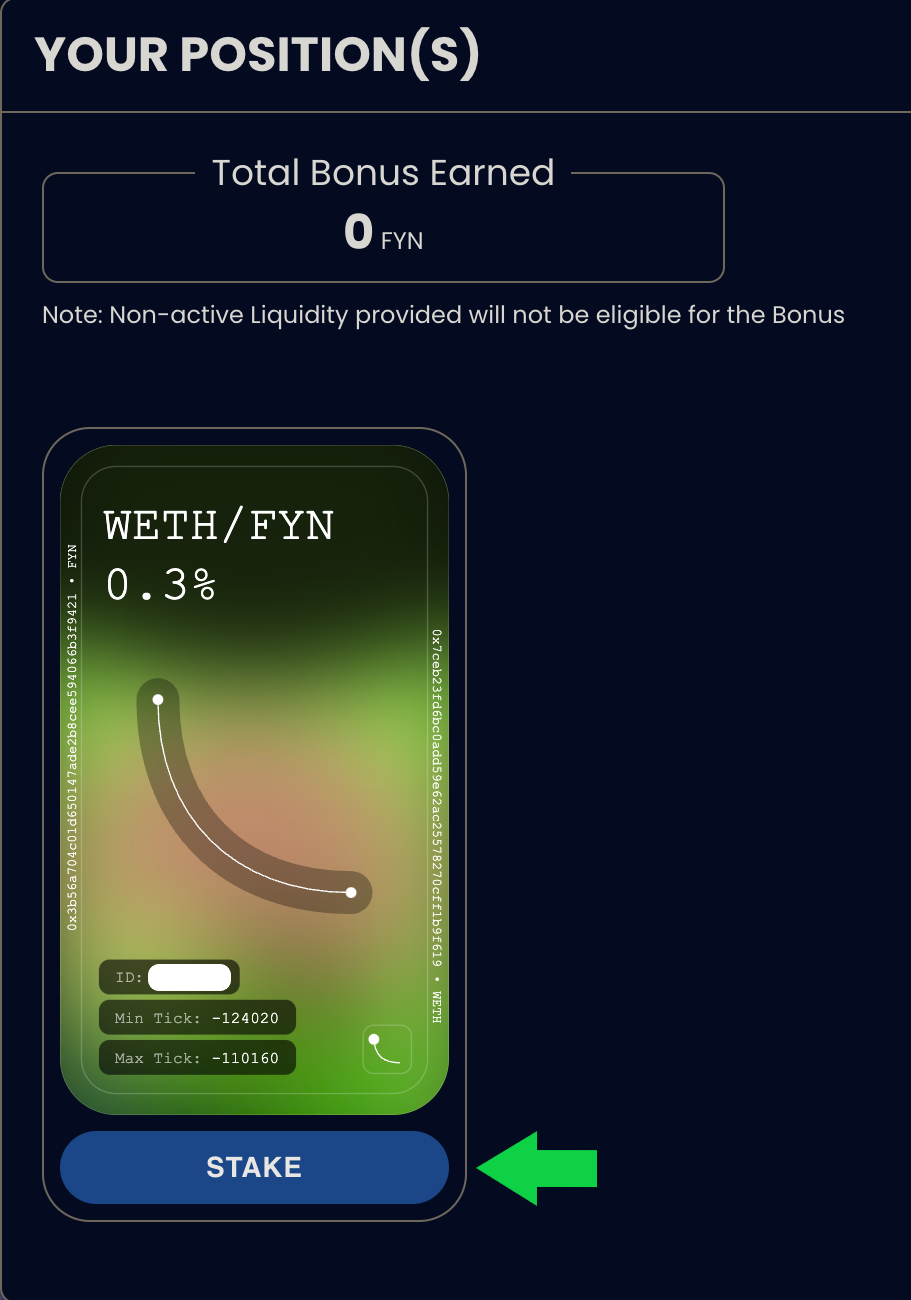
Go to the [$FYN Liquidity Program](https://marketplace.affyn.com/fyn-liquidity-program/) page on Affyn Marketplace and login if you have not already done so. Each position NFT is represented by an NFT card in the LP dashboard.
**Step 3**\
Click the `STAKE` button on the desired NFT card and sign the transactions that appear on your MetaMask.
**Step 4**\
Verify your enrollment in the LP dashboard. Successfully staked position NFTs will display the `UNSTAKE & CLAIM` button in their respective NFT cards.
{% hint style="info" %}
Note: Once staked, your position NFT will no longer be visible in your wallet. It will be returned to your wallet upon un-staking.
{% endhint %}
## How do I claim my provision bonus?
Users can un-stake their position NFT(s) at any time to exit the campaign and claim their provision bonus.
**Step 1**\
Go to the [$FYN Liquidity Program](https://marketplace.affyn.com/fyn-liquidity-program/) page on Affyn Marketplace and login if you have not already done so.
**Step 2**\
Click the `UNSTAKE & CLAIM` button on the desired NFT card and sign the transactions that appear on your MetaMask.
**Step 3**\
Confirm your exit from the campaign on your [$FYN Liquidity Program](https://marketplace.affyn.com/fyn-liquidity-program/) page. Successfully un-staked position NFTs will display the `STAKE` button in their respective NFT cards. Accrued rewards are automatically claimed and transferred to your wallet upon un-staking your position NFT(s).
***
*¹ In-range liquidity refers to the liquidity contained in any positions which span both sides of the spot price.*
*² A unique token that represents a liquidity provider's ownership of a specific liquidity position within a trading pool.*